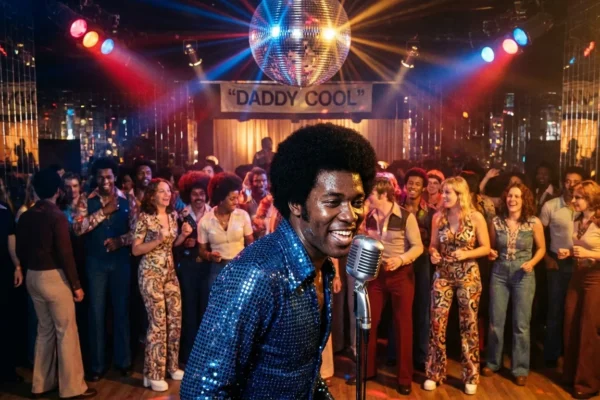


CapCut just changed the edit game. Again. We can confirm a powerful AI workflow inside the app that slices raw footage into sharp, beat-matched cuts, adds captions, and polishes pacing in minutes. Creators are calling it the cheat code for pro reels. We watched it turn a pile of clips into a clean, stylish cut, ready for TikTok, Reels, and Shorts. It is fast, it is good, and it is live on mobile and desktop today.
The AI trick everyone will use
Here is what is new. CapCut uses a smart combo of beat detection, highlight picking, and auto captions. The secret is how these tools chain together without manual setup. Drop in your clips. Choose a song. The app finds motion peaks, faces, and clean frames. It cuts on the beat, keeps the action, and tightens the dead space. The result looks like an editor sat with you.
To try it, we ran this simple flow inside CapCut’s editor:
- Import 8 to 15 clips, then pick a track.
- Tap Beat Sync, then run Auto Cut to select highlights.
- Turn on Auto Captions, then Remove Silence for talking clips.
- Finish with a style template and slight color tune.
The output is shockingly clean. Dialog stays snappy. B-roll hits the drum fill. Lower thirds land on the hook. If you know how to tweak keyframes, it gets even sharper. If you do not, you still get a crisp, scroll-stopping cut.

Export at the highest resolution your platform allows, and keep your original files in local storage for backup.
Why it matters for stars and fans
This is not just a toy for hobbyists. Artist teams, podcasters, and show socials can knock out day-of tour diaries, backstage bumps, and meme cuts before doors open. Stylists and glam squads can flip chair cam footage into mini tutorials. Sports creators can turn practice clips into hero edits before the bus leaves. That speed changes how often talent can post, and how personal it can feel.
Celebrities who built fan love on quick, human moments now have a safer runway. The AI handles the grunt work, so teams can focus on tone and story. Fans notice that difference. Edits feel tighter. Captions land right when the joke hits. Reaction cuts arrive on the beat, not a half second late. It makes the feed feel alive.
For the culture, this unlocks more voices. A teenager with a mid-range phone can match the rhythm of a studio account. You still need taste. You still need an eye. But the floor rises for everyone, and that pushes the ceiling higher.
CapCut templates travel well. The same vertical cut plays on TikTok, Instagram Reels, and YouTube Shorts with minor tweaks.
The USDS wrinkle creators cannot ignore
TikTok’s new USDS joint venture put fresh light on every ByteDance-linked tool. CapCut sits right there, tightly integrated with TikTok on mobile, desktop, and web. There is no change announced for CapCut today. Still, creators are reading their settings twice and asking smart questions about data and workflow.
Here is what we are hearing and seeing on the ground. Social leads want clarity on where drafts live, which permissions are required, and what gets synced in the cloud. Editors who cut for talent with sensitive NDAs are testing offline modes, local-only libraries, and clean exports before upload. Agency teams are mapping paths that keep CapCut’s speed while keeping control of files, music rights, and metadata.
That is the real story behind the shiny AI. The tool races, the business shifts, and responsible creators adapt. Expect more guidance from brands and labels on approved devices, export targets, and cache rules. Speed will stay king, but custody of the cut will sit right next to it.

Review CapCut permissions. Turn off auto cloud sync if you manage unreleased music, scripts, or brand assets. Confirm where your drafts and caches are stored.
What to do right now
CapCut’s AI combo is ready, and it is a win for pace and polish. If you cut for a public figure, move fast and smart.
- Build two project presets, one for public promos, one for sensitive shoots with local-only storage.
- Lock a music workflow. Clear stems early, and keep a muted master for alt platforms.
- Document your export settings for TikTok, Reels, and Shorts so your team hits the same look every time.
The bottom line for pop culture
We have crossed a line. Pro-feeling edits are no longer a barrier, they are a baseline. That shifts how celebrity stories are told in short form. It means more in-between moments will make it to fans, with charm intact and filler cut. It also means editors and social leads must own their pipelines. Speed thrills. Trust keeps the lights on.
Conclusion
CapCut’s AI workflow delivers real power in a few taps, and we have watched it punch above its weight. It raises the bar for everyone, from bedroom creators to arena headliners. Keep your eye on data settings as the USDS era unfolds, then let the beat guide the cut. The next great 15 seconds might already be in your camera roll, waiting for a smart sync and a clean export. ✂️🎬